How to set up an office and what equipment and furnishings should not be missing

Before planning the location, it is necessary to study the internal structures of the company and to consult with the employees. In addition, spatial planning involves an analysis of the tasks and their importance for the company's goals.
| YOU MAY BE INTERESTED IN |
|---|
| 1. What is coworking? Definition and everything you need to know |
| 2. Commercial and corporate domiciliation |
| 3. 13 points to consider before renting an office in Madrid |
"How to set up an office: design and fit-out options
Design has changed a lot over time. Today, structures must promote cooperation and communication.
Knowledge sharing is becoming increasingly important. Therefore, structures must be more changeable and adapt to the way companies work, becoming more project-oriented. Alternative installations and new concepts of architecture, color and design have arrived to meet this demand, replacing traditional systems.
Another aspect influencing design has been the advent of technology (and COVID-19) that has driven telecommuting. Today, not all employees spend five days a week at their desk as many also work from home, resulting in vacancies that generate easily avoidable costs. One possible solution would be desk sharing.
There are different office formats.
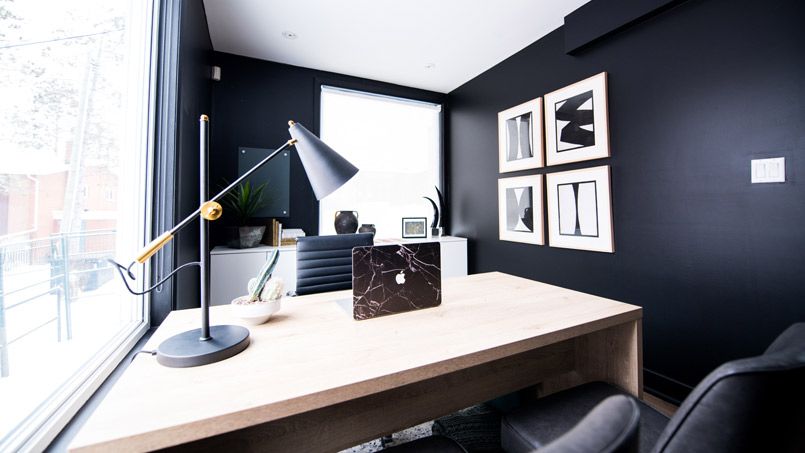
Setting up an individual office
It is probably the most classic format. It was in force during the last century and part of the first decade of the 21st century. For the most part, these are spaces designed for one or two employees. The areas are divided in such a way that the workstations are located along narrow, central aisles so as not to waste space.
ADVANTAGES:
- It allows working without interruptions.
- The decoration could be designed according to the individual wishes of each worker and, therefore, promotes well-being.
- The individual workstation offers all the peace of mind needed to perform tasks that require a high level of concentration.
DISADVANTAGES:
- They consume a lot of space and therefore involve higher maintenance costs.
- Size is a problem. They were built in the era before new technologies, so they often do not provide enough room for today's information and communication technologies. The result is cramped quarters with little room for free movement.
- Communication must be laboriously organized. Working across teams or projects is very complicated because people are separated.
- In times of changing corporate structures, fixed-size facilities offer little flexibility.
- They tend to have long, dark corridors, contradicting the need for transparency required by employees.
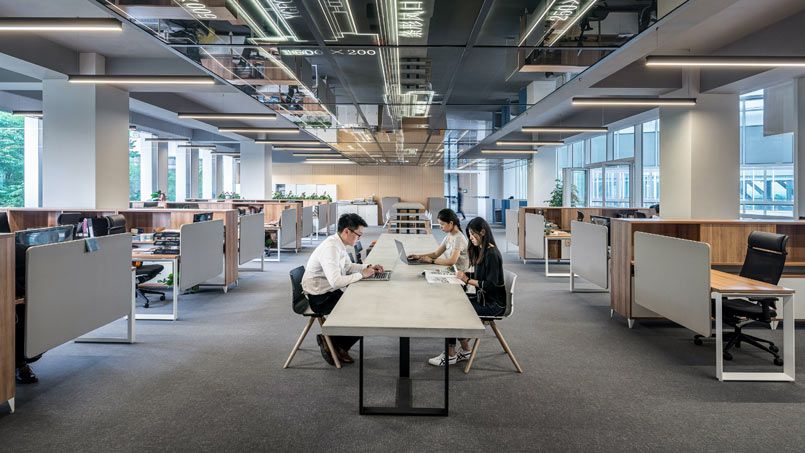
2. Setting up an open office (open spaces)
It offers a better response to the problems posed by individuals. Its structures are open, transparent and democratize processes.
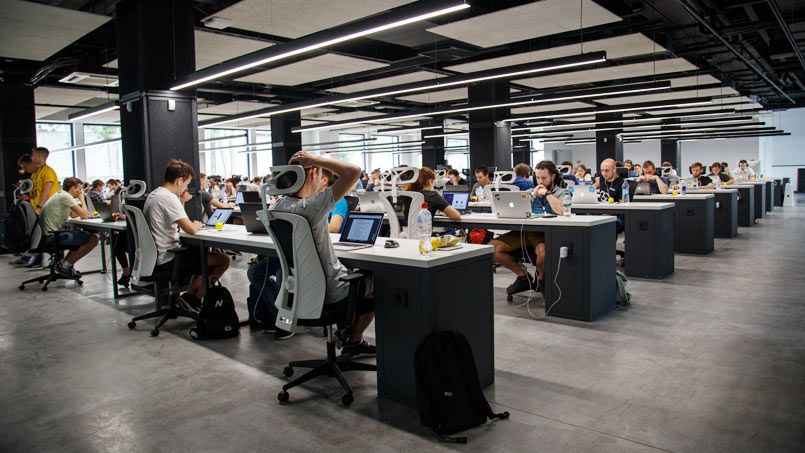
There is no "official" definition of an open office. Typically, it is a room in which at least 10 people work without being separated by fixed walls. In addition to common areas, they have meeting rooms, relaxation areas or individual workstations for tasks that require greater concentration.
ADVANTAGES:
- Walls disappear from the rooms and from the minds of employees, which promotes team organization.
- The idea is to make internal processes more efficient and to bring together departments that work closely together.
- The exchange of knowledge and ideas could lead to informal discussions and create a more pleasant atmosphere.
- Flexible structures allow for quick reactions to personnel changes, such as the successful integration of new employees.
- In open spaces, task planning is organized with almost no regard for architectural constraints.
DISADVANTAGES:
- It is a noisier environment than that of individual offices, which undermines concentration. The professional is affected by both telephone conversations and the comings and goings of colleagues.
- Not everyone has room to sit by the window in large rooms, making artificial lighting necessary.
- The architecture of these facilities increases the cost of use due to their enormous depth.
- Individual needs for lighting or climatic conditions cannot be respected so easily in this type of format.
TIPS:
- Not everyone feels comfortable giving up their individual office in favor of an open space. Therefore, it is best to involve all employees in its creation process, choice of colors and decoration.
Set up a group office
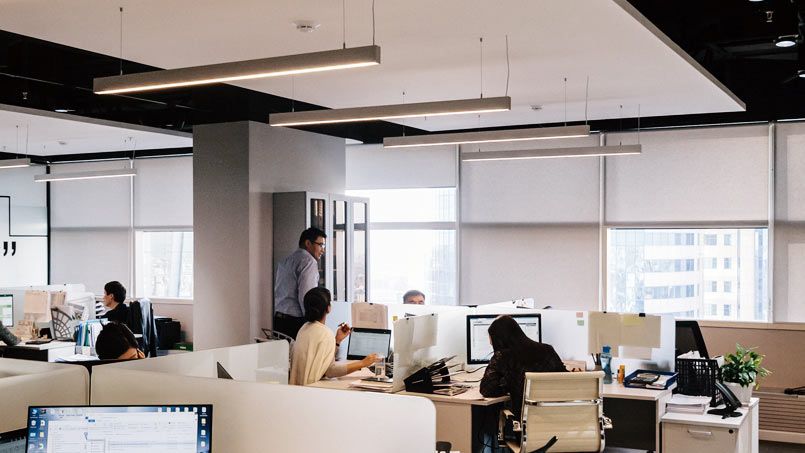
These are rooms with capacity for 3 to 25 people performing similar tasks. They combine the advantages of individual and open rooms, trying to avoid their disadvantages. It is a format that promotes structures where communication and exchange of ideas is facilitated and allows concentration on the tasks that require it.
ADVANTAGES:
- As in the open, networking and communication are promoted.
- Performing tasks that require concentration is also possible because there are fewer acoustic and visual distractions.
DISADVANTAGES:
- The noise problems of open space also exist in group stations. Therefore, it is recommended to provide sufficient space for individual stations.
- In many cases, it will be a good idea to have a ventilation system because opening the windows does not usually provide the right climate.
- Special acoustic measures are necessary so that employees do not reject group offices, as is the case with open-plan offices. Here it is possible to create spaces with sound-absorbing ceilings, carpets and acoustics.
- Thanks to its shallower depth, zoned air conditioning could be installed that is individually adjustable and can ensure adequate ventilation. This system is cheaper than an air conditioner and has the necessary power to supply a large space.
4. Set up a combined office
It enjoys great popularity in Scandinavia and is an answer to the problems presented, combining the individual advantages of different types of spaces.
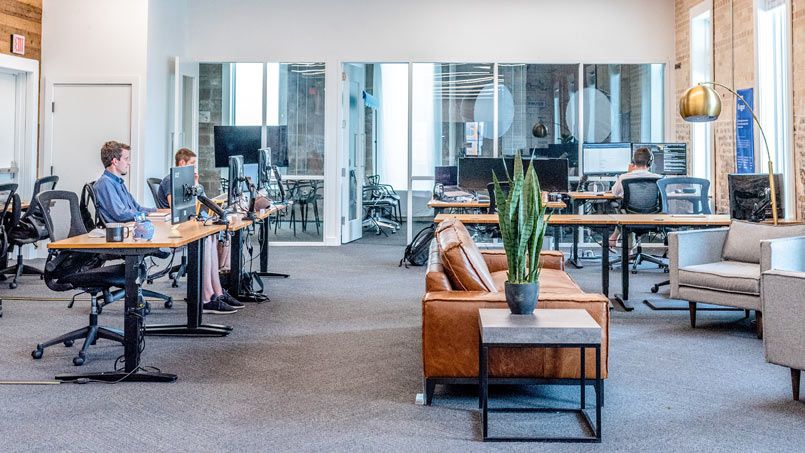
These formats have small rooms of different sizes. Their characteristic feature is that, instead of using a conventional narrow corridor, access to the individual rooms is through a multifunctional area. Such a place, depending on the needs of each professional, would include, for example, meeting rooms, group spaces and/or a small kitchen.
The separation between the different rooms is usually made with glass walls, which provides additional transparency.
ADVANTAGES:
- These venues are suitable for activities that combine project-oriented and individual work. The main difference between the group format and the combined format is that the former is designed for both individual and team work on a long-term basis and the latter is designed for more sporadic projects.
DISADVANTAGES:
- Employees cannot be at their workstation and in the multifunction rooms at the same time. This leads to additional costs as there are often parts of the facility that are not being used.
- Glass walls could make people feel guarded or even controlled.
- Activities in the multifunctional area, such as meetings with clients, may create distractions for those who need to concentrate more.
TIPS:
- If this model is to be implemented, it is important to first discuss with the staff which areas (kitchen, meeting room, etc.) would be most beneficial as a multifunctional site. This will promote acceptance and efficiency.
5. Set up a reversible office
It is characterized by being flexible and suitable for different users. In practice, it could be used as a group, combined or individual office. It has few solid walls that are replaced by systems that delimit spaces (movable partitions, furniture, etc.) and that take care of configuring and reconfiguring acoustic functions and distribution with minimum effort.
ADVANTAGES:
- It provides flexibility, for example, when it comes to dealing with staff turnover or reorganizing equipment. For this, the furniture has to be light and mobile and structural features, such as windows or the ventilation system, have to be adapted to these changes.
- Constantly evolving standards in terms of, for example, occupational health and safety, could be effortlessly integrated if planned from the outset. This is why the reversible format is the most promising.
DISADVANTAGES:
- If enormous flexibility is not needed, a different concept may be preferable. The costs of reversible interior design, such as lightweight walls, are high, although the investment pays for itself with several conversions.
6. Set up a desk and workspace with hot table.
Practice shows that most desks are not used continuously. Some employees only come to the company on an irregular basis, either because they work part-time or work from home, so they do not need an assigned desk.

ADVANTAGES:
- Desk sharing requires less space for employees. This translates into long-term cost reductions in heating, rent, furniture and other costs.
- Desk sharing facilities could accommodate up to 20% more employees on the same site than a conventional one.
DISADVANTAGES:
- Spaces with shared desks require a clean desk policy. That is, all staff should tidy up their desks and place their personal documents in a lockable storage area at the end of the day.
- To ensure that the search for a free desk is not too complicated, it is necessary to consider a rotation procedure and to offer alternatives when all the desks are occupied. For example, a meeting room could be set up to accommodate users who cannot find a place.
Have we already chosen our ideal format? Let's see what you need inside.
"Elements to take into account when setting up an office
Furniture
To cover the basic minimum in equipment and furniture, standard desks and chairs with casters and adjustable (height and backrest) to accommodate all people would be necessary.
If you opt for a coworking space , it will offer the necessary furniture to carry out the activity. In the case of renting an office, most of them (at least The Shed Co) include the most basic furniture in the rate.
2. Communications
New ways of working and the current situation brought about by COVID-19 have brought flexibility of schedules due to teleworking, which in some cases is done once or twice a week and in others permanently. Circumstances vary among employees and companies, but there is one constant for all. It is necessary to have the necessary tools that allow tasks to be performed within the company, from home and in a mobile way.
2.1 Internal space solutions
Internally, it is necessary to rethink the common telecommunications infrastructures ICT. That is, the facilities needed to capture, adapt and distribute the basic telephone and broadband telecommunications service. To do this, the following steps must be taken.
Planning. Decide where the equipment will be and how the site will be laid out, to arrange where the rj45 to wall boxes will be placed.
High-speed connection. Install data lines that provide adequate speed and meet the transmission speed requirements for videoconferencing with the highest possible quality and reliability. The exchange of files or the use of SAS requires these high-speed connections.

Availability. The permanent availability of the Internet connection must be ensured due to the increasingly frequent use of SAS in the cloud for the company's critical applications. This requirement could be ensured by contracting different lines with different providers or by redundant lines with load balancing.
Access. Multiple types of devices will coexist at the site: cell phones, tablets and different PC models, so different ways of connecting to the network must also be found.
- While a conventional PC will always have an Ethernet input, other devices will need to be connected via Wi-Fi. In addition, due to the changing structures in companies, it is desirable to facilitate mobility within the space.
- For static structures and conventional PCs, an Ethernet LAN must be implemented. In addition to the structured cabling infrastructure, i.e. the laying of cables inside a building, a local area network must be implemented. In this case, this is usually a twisted-pair copper UTP/STP cable. However, fiber optic or coaxial cable can also be installed.
- It is advisable to have a hub or preferably a manageable switch to provide Ethernet network services to users. Most commonly, the network should be Fast Ethernet or Gigabit Ethernet. The decision comes down to cost. Gigabit Ethernet ports are four times more expensive than a Fast Ethernet switch. According to network engineers, the price difference between these switches could be the most important factor in the decision to upgrade.

- The wifi network is necessary to promote mobility so it would be necessary to have a WiFi Hotspot. In addition to providing service, it will be possible to establish priorities of who connects (customers, guests, employees, administrators, etc.) and ensure control and information in order to make the network profitable.
- Time slots could be established for employees to log in if there is some kind of time-on-site policy.
- The available throughput can be distributed depending on the type and number of clients and/or users in order to maximize the total available bandwidth.
- To avoid abuses (videos, P2P, music...) it is possible to limit the total consumption by means of rules.
- Saving a LOG is one of the most important functionalities. The history of all connections made must be stored.
In a coworking, like The Shed Co, all these requirements are solved by the team that manages the coworking.
Telephony: IP phones? lines? rj11 cabling? PBX? You should know the answers to these questions before moving to your new location, but how can you get it right?
It is true that the use of cell phones is cornering fixed telephony, but it seems that the fixed line gives more confidence to potential customers. Most coworking centers can provide the switchboard service and usually have the structures to implement conventional or IP telephony. You could also choose to outsource this service.
2.2 External solutions for employees, customers and partners
The effectiveness of sales, technical and marketing personnel is only possible with the help of the tools provided to them.
- The solution is provided by software tools that have moved from a proprietary model to a cloud-based model, making them available at all times.
- Mobile computing equipment allows employees to perform their tasks from anywhere, whether at home, on the move or within the company. For employees, it is important to ensure that they have the same functionality and portability when using their tablet, mobile or laptop, creating a more connected communications flow.

- Companies need to be aware of customer interactions and needs. The strategic technological solution in this case is the installation of a Customer Relationship Management (CRM) integrated with the communications system.
- Internal communication applications have been on the rise in companies. These solutions let employees know if a colleague is available, either to receive a call or answer a chat, allowing instant communication for simple questions or requests.
- This integration of different tools has the potential to transform internal efficiency and improve operations. Therefore, it is vital to have good methods and processes in place to facilitate interaction between employees and optimize communications, both internally and with customers and partners.
3. Equipment for setting up an office
The amount of time saved, when you have the right equipment, justifies the cost of acquiring it. Most new companies find to their surprise that computer equipment pays for itself within a year.
- Having the right software, such as CRM or ERP, allows you to improve productivity and reduce the time spent on repetitive tasks. Today there are very economical and solvent solutions.
- Also make sure that the hardware purchased is quality, fast and reliable. This will reduce stress and downtime.
- If a photocopier is needed, choose one that fits the expected workload. The Shed Co recommends purchasing a multifunctional printer for color or black-and-white copying and scanning documents. However, such equipment, with a good load, robustness and adequate speed per copy, could be very expensive. Therefore, it is advisable to evaluate the options of renting or leasing the machine. If renting a multifunctional machine, check carefully whether maintenance commitments are costly, in addition to purchase clauses and minimum usage contracts. Some coworking spaces provide this type of equipment as part of their rates.
This is a small summary of the items that we at The Shed Co consider most important in how to set up an office. Obviously there are many more to consider, such as cleanliness, leasing contracts, reception, amenities, uses and implementation of an office/kitchen, colors, temperature, etc.
Setting up an office is not an easy task as it takes a lot of time to plan. Therefore, people who do not have a very large budget or simply do not have the time or the necessary equipment, should consider putting themselves in the hands of experts in space design.

AUTHOR: CARLOS LLERENA
IT executive, entrepreneur, communicator and academic with international trajectory, expert in technology, marketing, project management and complex problem solving.
 Contents